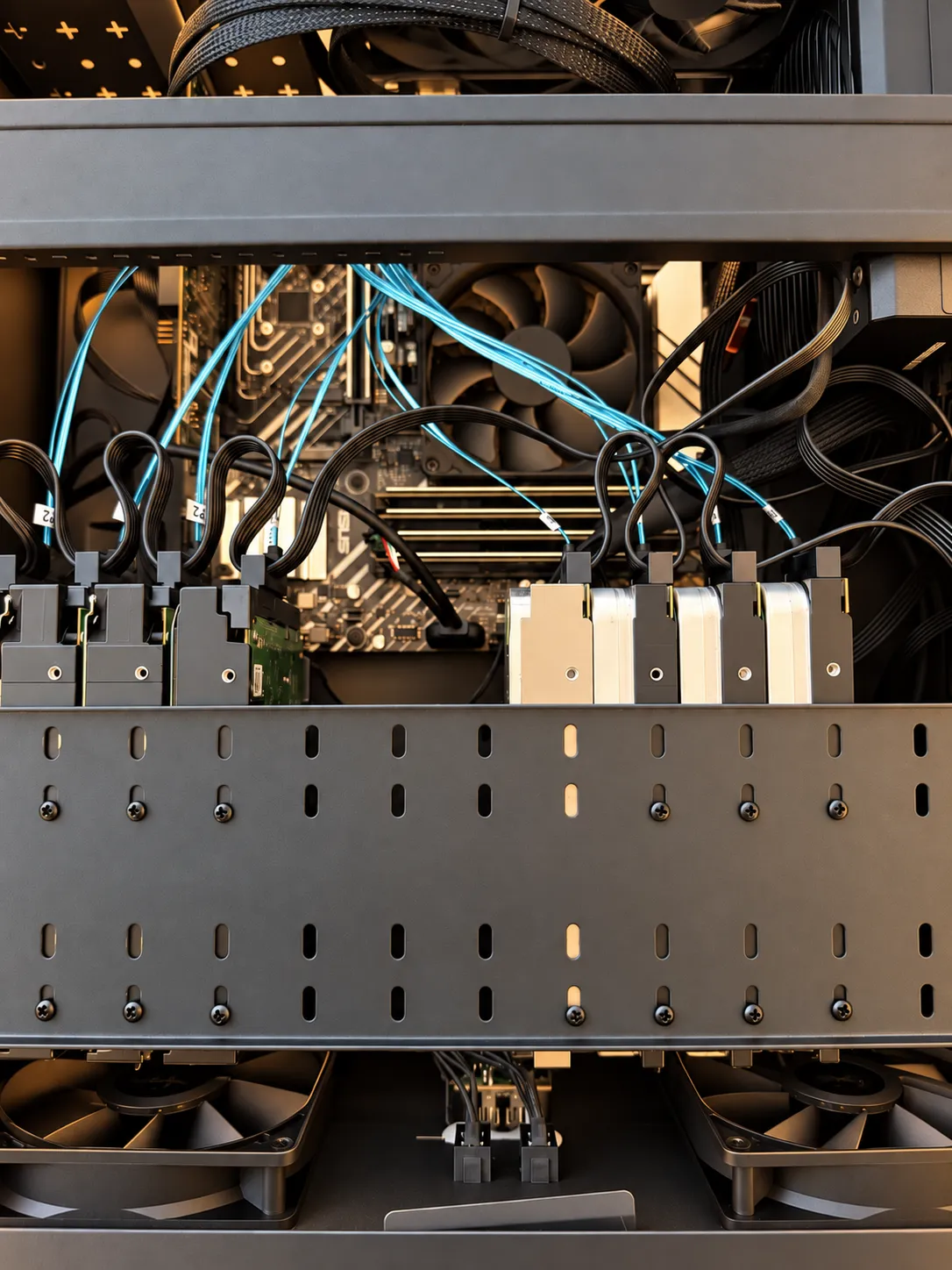
Written September 2026. The hardware pricing in the back half of this post is a snapshot of a market that is moving fast.
Right now your data is scattered. Some of it is on a laptop, some on a phone, some on an external drive in a desk drawer, and a surprising amount is on a company’s server that you rent access to for about ten dollars a month, forever. Every one of those is a single point of failure, and the last one isn’t even yours.
A NAS fixes that. It is just a computer with a pile of drives in it that sits on your network and holds everything. That sounds boring until you’ve lived with one.
What you actually get
One place for everything. Photos, documents, project files, backups from every machine in the house. You stop asking which drive something is on because there is only one answer.
Redundancy that actually works. A NAS with a proper array can lose a drive and keep running while you replace it. Not a backup by itself, but it means a dead drive is an errand instead of a disaster.
A backup target for everything else. Time Machine, Windows File History, phone photo sync, all of it pointed at one box. Then that box backs up offsite and you’re done thinking about it.
Your media, your rules. Plex or Jellyfin running on your own hardware means nothing gets removed from your library because a licensing deal expired.
Apps and services. Modern NAS software runs Docker containers, which means ad blocking, document scanning, a password manager, home automation, a Git server, whatever you want, all running on hardware you already paid for.
No subscription creep. Cloud storage looks cheap until you’re four years in at $10 a month across three services. The math on a NAS stops getting worse over time.
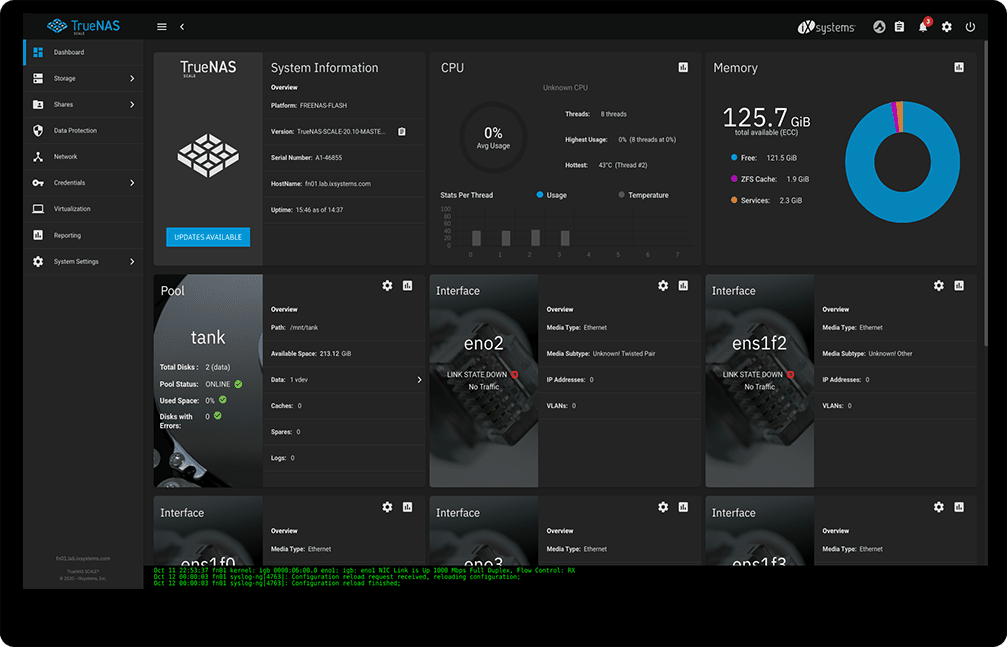
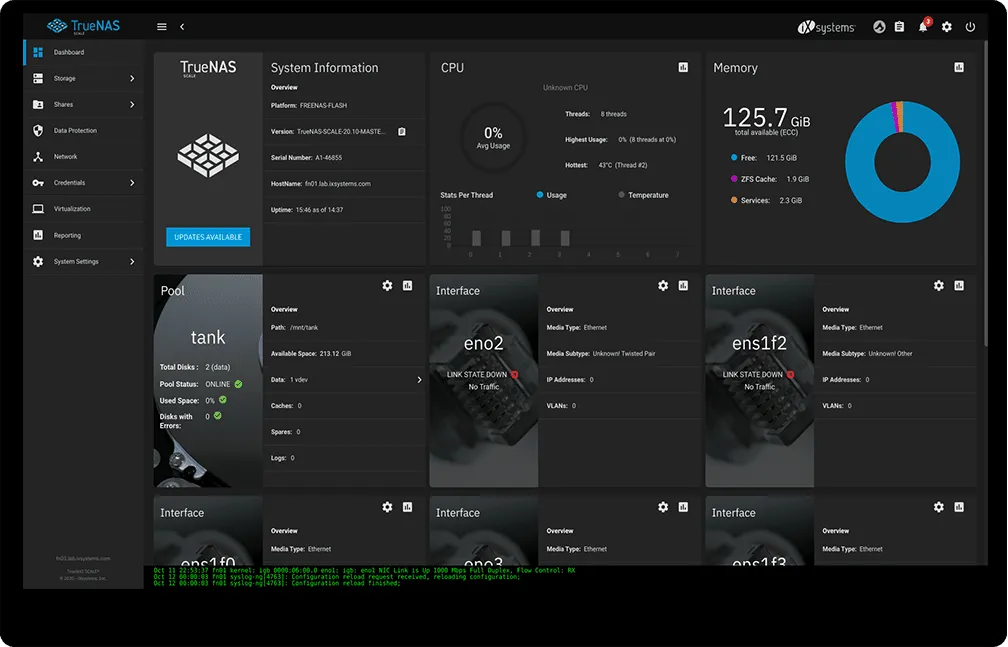 Image source: Blueally.com
Buying a box vs building one
The prebuilt route (QNAP, Synology, Asustor). You get a finished product. Drives in, follow a wizard, done in an afternoon. The apps are polished and the mobile clients actually work. The tradeoff is that you pay a real premium over the parts, you’re on that vendor’s OS and upgrade timeline, and if you ever want to do something the vendor didn’t plan for, you’re fighting the appliance. One honest caveat with any prebuilt: don’t expose the admin interface directly to the internet. These boxes have been ransomware targets. Put it behind a VPN or a reverse proxy and keep it patched.
The build route. More work up front, meaningfully cheaper per terabyte, and you own every decision. This is the one I’d push most people toward if they’re the kind of person who reads posts like this one.
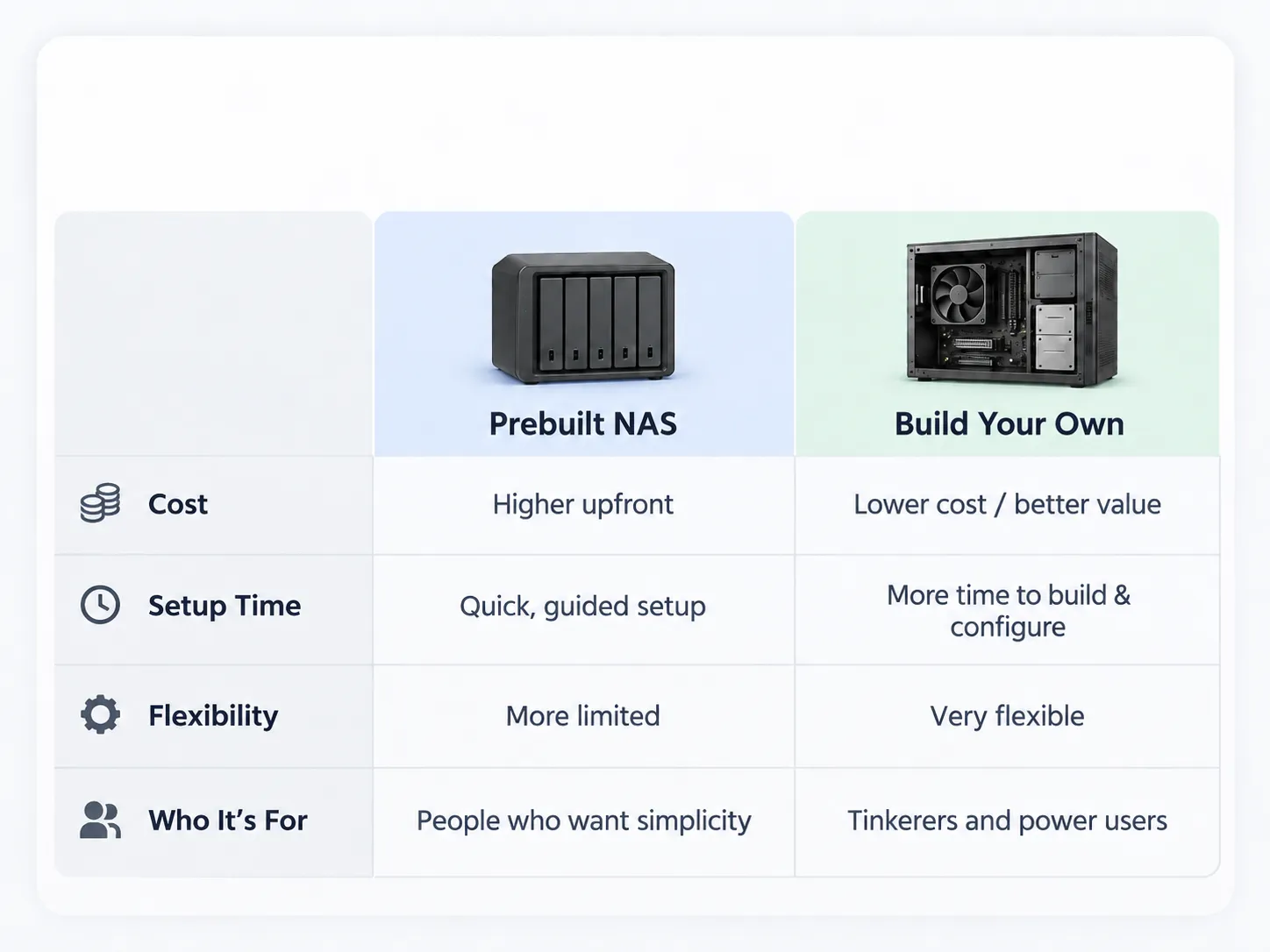 Image made using ChatGPT (please forgive me)
If you build it, what do you run?
TrueNAS SCALE is what I run and what I recommend first. It’s free, it’s built on ZFS, which is about as good as consumer-reachable filesystems get for catching silent corruption, and it does snapshots, scheduled scrubs, and replication to another box without any add-ons. It also runs Docker, so it’s a NAS and an app server in one. The catch is that ZFS wants you to plan your array up front. Expanding a pool is easier than it used to be, but it’s still not as casual as adding one random drive whenever you find one on sale.
Unraid is the answer to that specific problem. It costs money for a license, but it lets you throw mismatched drives into an array and grow it one drive at a time, which is exactly how most people actually acquire storage. Container and VM management is genuinely friendly. If your drive collection is going to be whatever you happen to have lying around, this is worth the license fee.
Proxmox is a hypervisor first and a NAS second. If the real goal is running a bunch of virtual machines and storage is one of the jobs, this is the right foundation. If storage is the point, you’d be adding complexity to get where TrueNAS starts.
There’s no wrong answer here. I landed on TrueNAS SCALE because free plus ZFS plus Docker covered everything I wanted, and I already had matched drives.
About the hardware market right now
This is the awkward part. DRAM contract prices rose an estimated 90 to 95 percent quarter over quarter in Q1 2026, with another 58 to 63 percent projected for Q2, driven mostly by AI data centers consuming memory faster than manufacturers can make it while production shifts toward pricier AI chips.1 In practical terms, a 32GB DDR5 kit that went for somewhere around $100 to $200 in late 2025 now starts around $350 if you can find it in stock at all.2 The major PC makers have warned of 15 to 20 percent price increases on finished machines as a result.1 And most analysts expect shortages to persist well into 2027.3
So “just buy 64GB of RAM and a few drives” is advice from a different year.
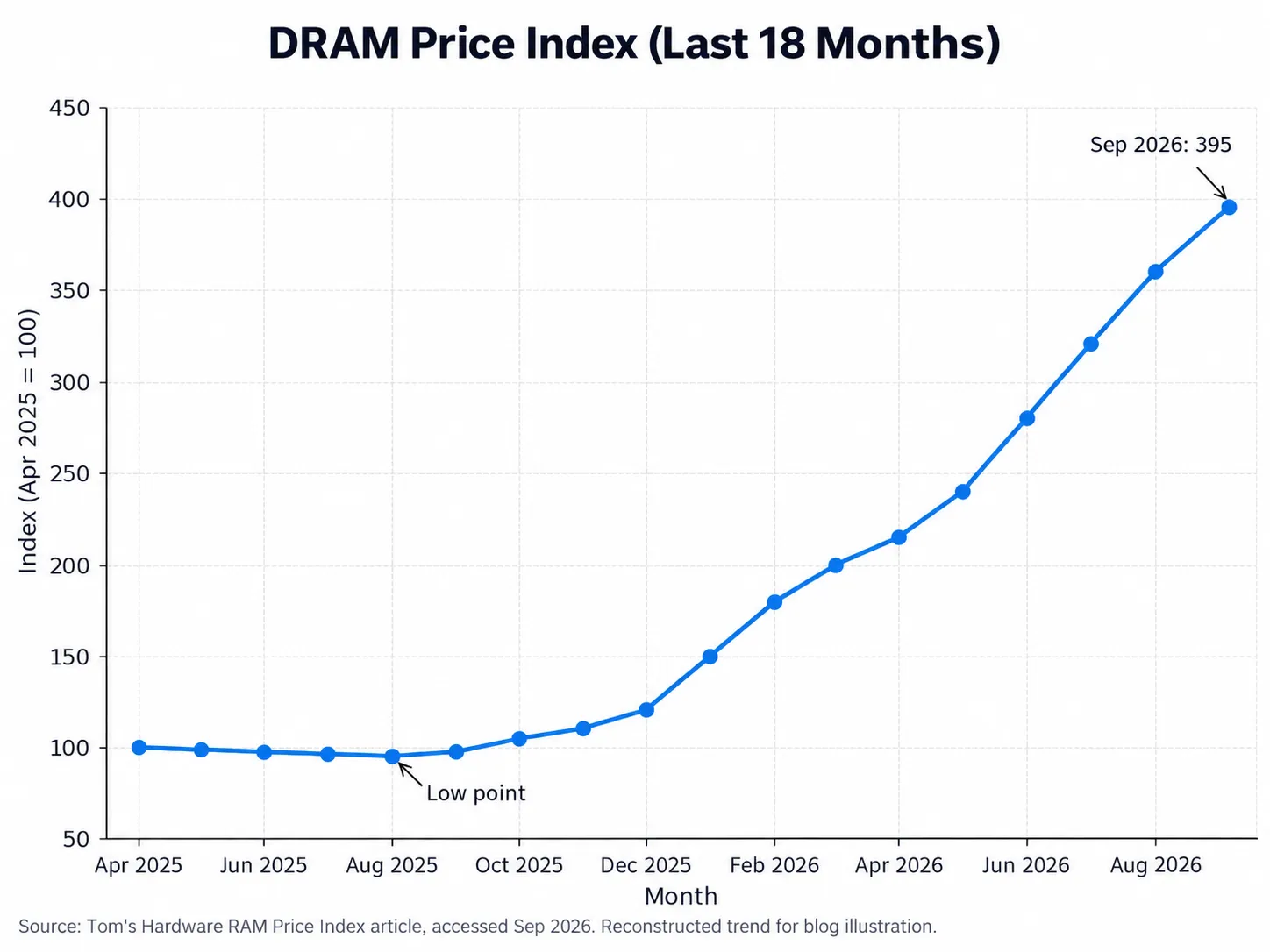 Image based on Tom’s Hardware DRAM pricing
Which is exactly why you should buy used
The best move right now is recycled hardware, because a used machine comes with its memory already in it, and that memory was priced when memory was cheap.
Off-lease business desktops are the sweet spot. Dell OptiPlex, HP EliteDesk, Lenovo ThinkCentre, the small form factor and tower variants. Corporate fleets get replaced on a cycle whether or not the hardware is tired, so these hit the resale market by the pallet. A tower model gives you drive bays and a power supply that can actually feed them.
Off-lease servers and workstations if you want more drive bays and ECC memory. Noisier, hungrier, cheaper per slot. Check the noise before you put one in a living space.
E-waste and recycling programs. I’ve pulled perfectly good machines out of the recycling pile at work. Ask around. A lot of organizations are relieved when someone takes a working computer off their hands.
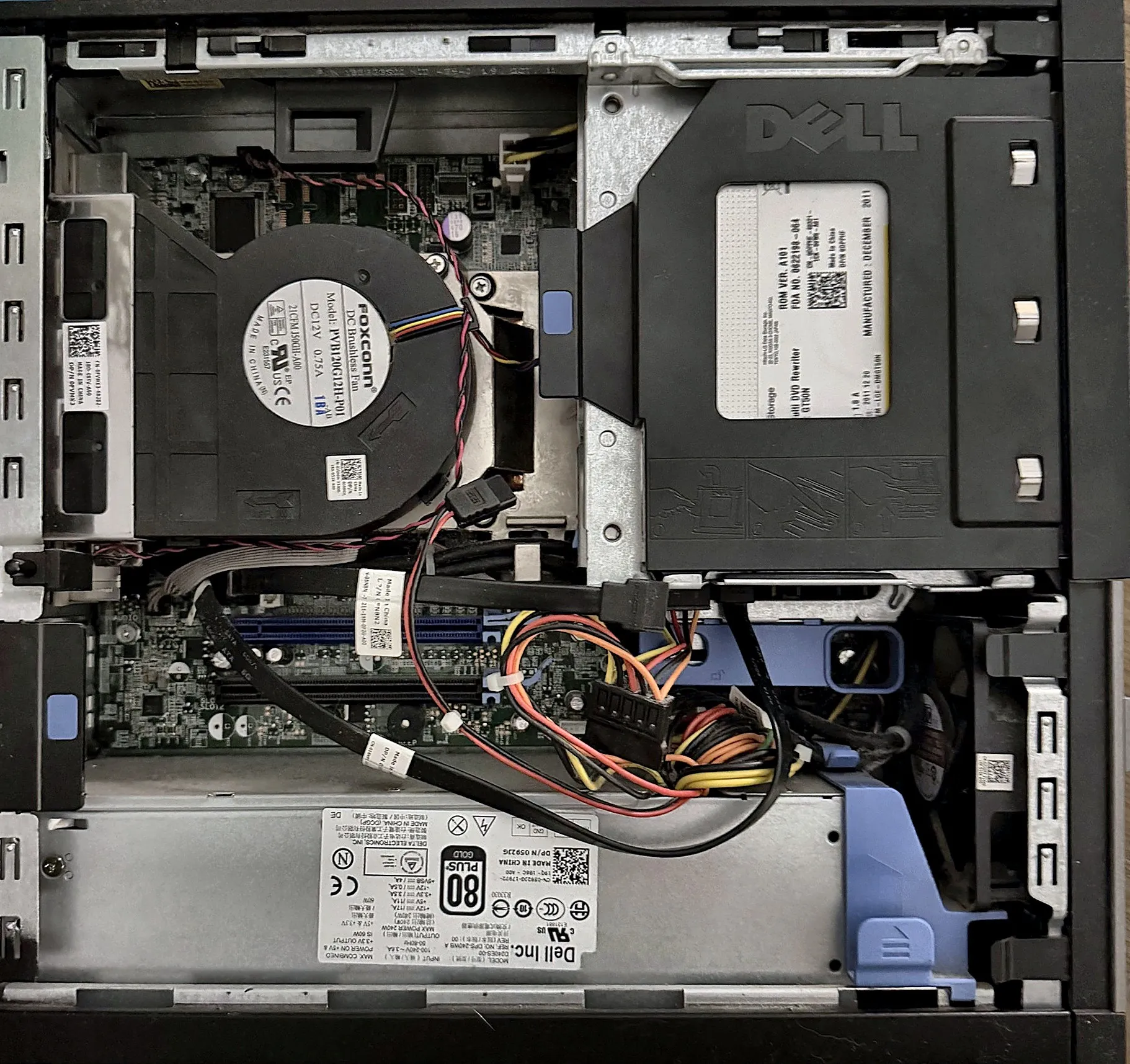
Where to look: eBay refurb sellers with real return policies, r/homelabsales, local surplus auctions, university and government surplus sales, and any IT shop in your area that handles decommissions.
A few things to check before you buy: how many 3.5 inch drive bays it really has, whether the power supply has enough SATA connectors and headroom (a stack of spinning drives pulls real wattage at spin-up), how many SATA ports are on the board, and whether there’s a PCIe slot free for an HBA if you outgrow the onboard ports.
On drives specifically, be pickier. Used drives are the one component where saving money can cost you everything. If you do buy used or recertified, pull the SMART data immediately, check power-on hours and reallocated sectors, run a full badblocks pass before you trust it with anything, and never build an array out of drives from the same batch if you can help it.
Start smaller than you think
You don’t need the final version on day one. Four drives in a used tower running TrueNAS SCALE will teach you more in a weekend than a month of research, and it will already be more resilient than the laptop plus external drive setup it’s replacing. Get something running, get your backups pointed at it, and grow from there.
The best time to build this was before memory prices tripled. The second best time is with somebody else’s four year old desktop.
Sources
Footnotes
-
Insight, “2026 RAM Shortage Solutions,” citing TrendForce DRAM contract pricing data and OEM pricing guidance. https://www.insight.com/en_US/campaigns/insight/2026-ram-shortage.html ↩ ↩2
-
Tom’s Hardware, “RAM price tracking 2026.” https://www.tomshardware.com/pc-components/ram/ram-price-index-2026-lowest-price-on-ddr5-and-ddr4-memory-of-all-capacities ↩
-
Tech-Insider, “RAM Prices 2026: DRAM Crisis,” summarizing TrendForce and industry commentary on shortage duration. https://tech-insider.org/dram-ram-price-crisis-2026/ ↩